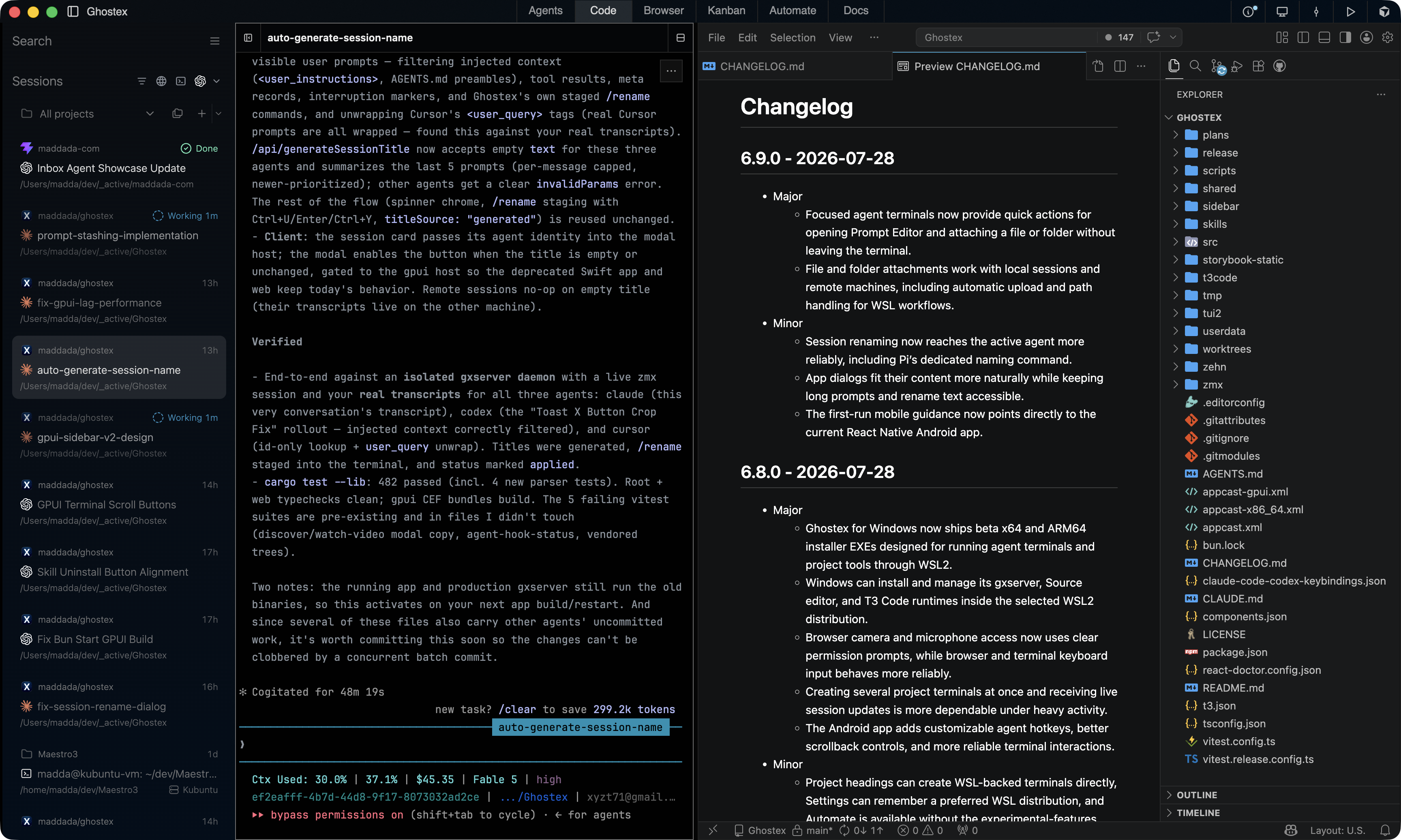
Embedded VS Code based editor
Loads on demand for markdown edits, code reviews, PR checks, and any extension you need. Sleeps when unused to save resources, with configurable timing for your local workflow.
Ghostex combines high-performance Ghostty terminals with
Chromium browser panes, VS Code editing, and polished session management to keep your agents productive and your laptop responsive.
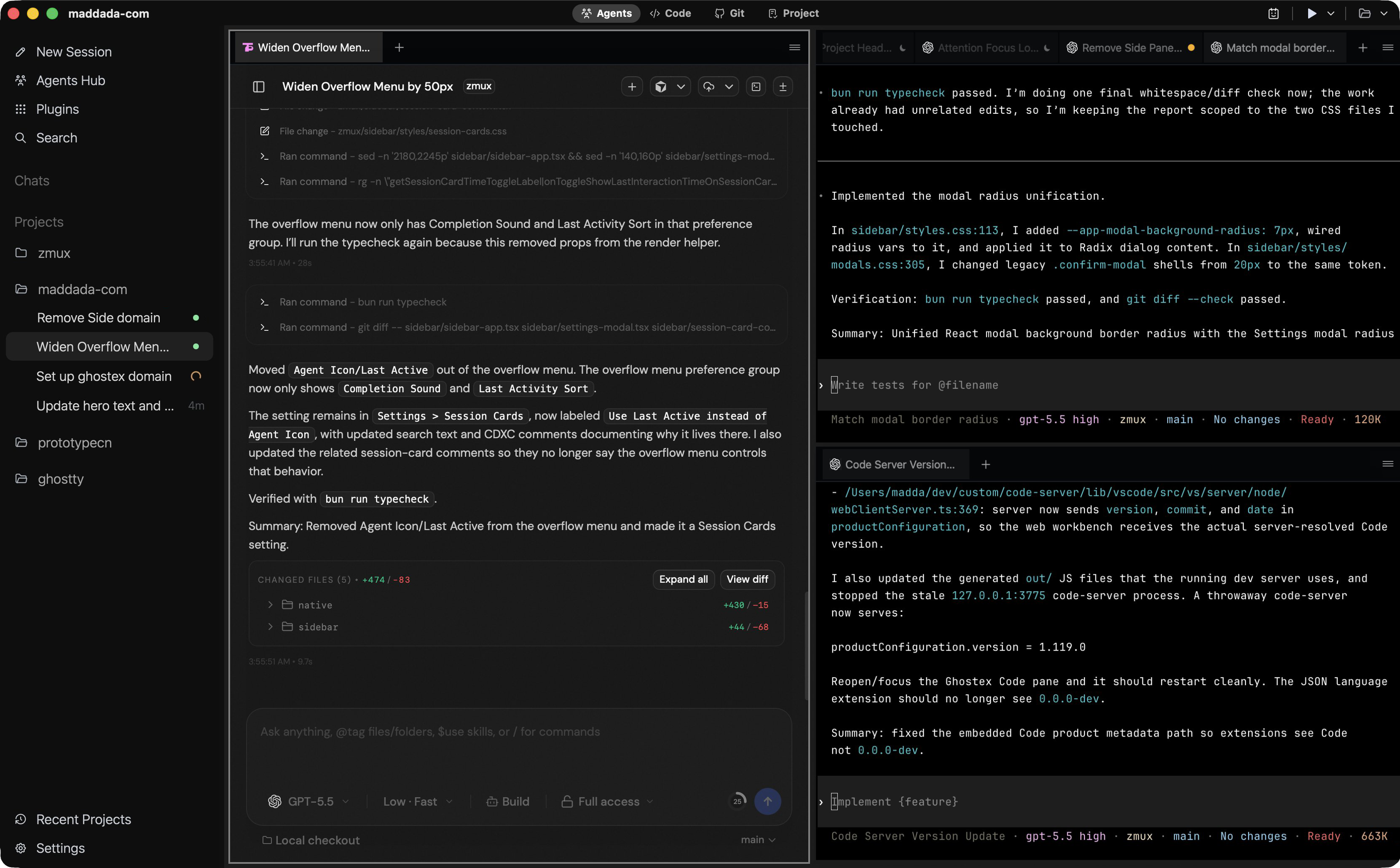
What each core building block gives you.
Lower RAM use, better battery life, and stable agent CLI sessions.
Rust and GPUI for responsive desktop behavior on macOS, Windows, and Linux.
For when you want a GUI instead of the terminal
Embedded browser panes with DevTools, profiles, and MCP access.
VS Code-based editor for Markdown, PR review, files, and git work.
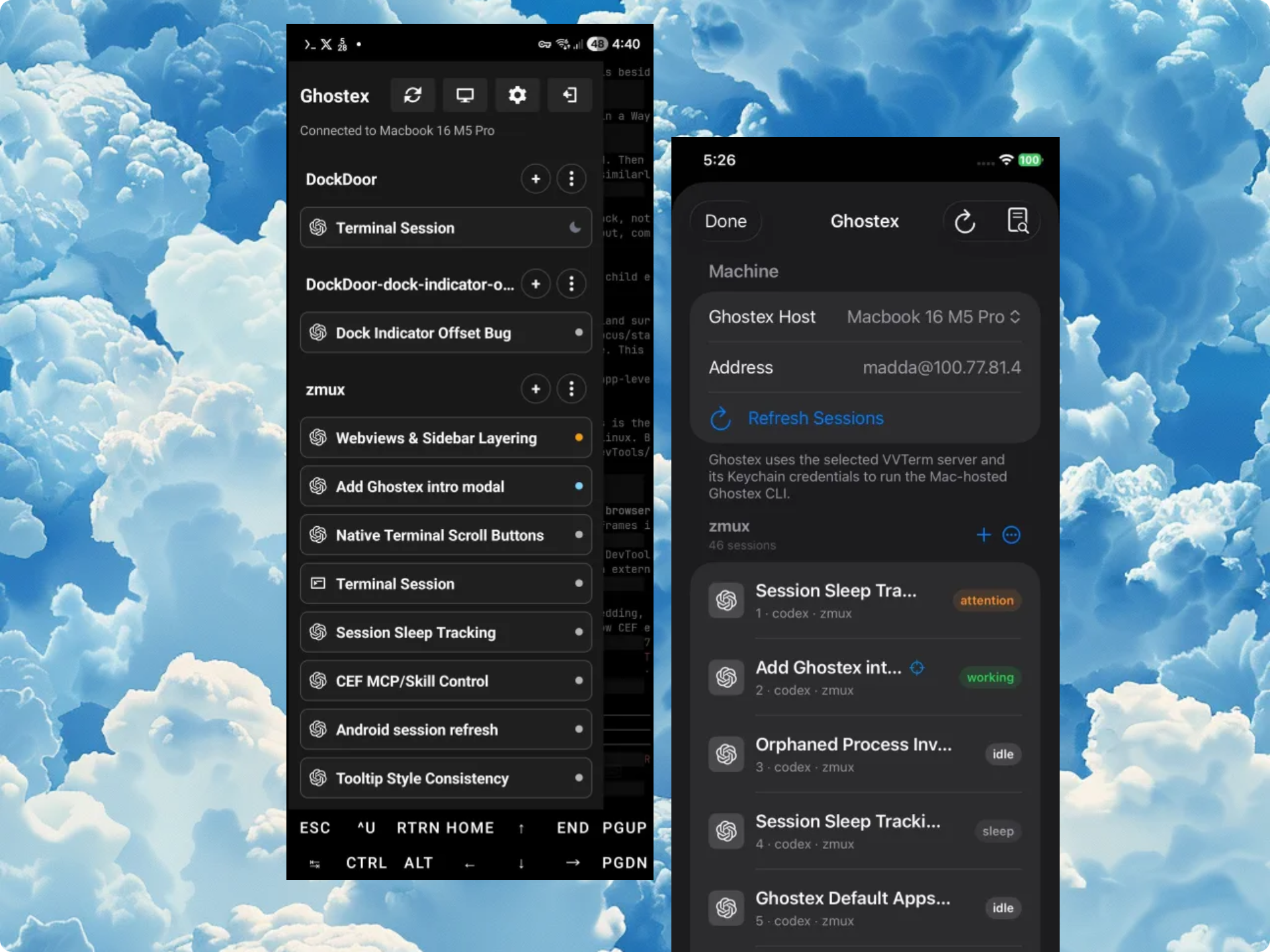
Android and iOS apps for checking and controlling live sessions.
Use ghostex or gx to attach from another machine.
Built for long-running work. Sessions are persistent, automatically named, and resume exactly where you left off. You get intuitive tabs and splits, menu bar status indicators, and plenty more features, all designed to keep you in flow without sacrificing performance.
Loads on demand for markdown edits, code reviews, PR checks, and any extension you need. Sleeps when unused to save resources, with configurable timing for your local workflow.
This optional inbox moves work beyond individual sessions. Organize around threads and worktrees, focus on one project or see every project together, then snooze or settle threads as needed.
Split terminals in Agents view, then jump between panes with familiar keyboard flow. Use Cmd/Ctrl+T, Cmd/Ctrl+D, and configurable pane-switching shortcuts like Ghostty or Cmux.
Use Claude Code, Codex CLI, Gemini CLI, Qwen Code, OpenCode, Cursor Agent, and more! Run them side by side with shared workspace context, session history, and controls.
Connect live to your Ghostex agent CLI sessions from Android and iOS mobile apps. Download APKs from GitHub Releases, or join Discord for the iOS TestFlight build.
Edit prompts with full hotkey support, image previews, and a real editor surface. No more uneditable "[Pasted 50+ lines]" text; press F1 to browse every command.
Use embedded Chromium with annotations, profiles, DevTools MCP, and agent context. Run /ghostex-browser-use so agents can control browser tabs without approval prompts!
Capture ideas on a beads-backed Kanban board, then let an Orchestrator agent delegate work. Cross-agent orchestration lets Claude launch Codex agents and route tasks between them.
Collaborate with your agent on HTML prototypes, mockups, and explainers, annotations included. Edit Markdown with annotations you can send back, or have the agent draw .excalidraw diagrams.
HTML prototypes, mockups, and explainers with the annotations system included.
Full markdown editor plus annotations you can send to your agent to collaborate.
Or even ask the agent to draw an .excalidraw UI or diagram in the /docs folder.
Search previous sessions across agents by typing a few words from your original prompts! Press Enter to resume, use filters, or start it from the sidebar or with `ghostex find` / `gx f`.
Also browse all previous sessions from all agents by title, tag, or last active and resume any of them.
Agents launch other agent sessions with the ghostex CLI, send prompts there, and read output. Ask Claude Code to steer Codex sub-agents, or write skills using /ghostex-agent-orchestration.
Side by side with the Codex app and cmux.
| Feature | Ghostex | Codex app | cmux |
|---|---|---|---|
| macOS support | Yes | Yes | Yes |
| Windows support | Yes | Yes | — |
| Linux support | Yes | — | — |
| Open source | Yes | — | Yes |
| Ghostty terminal | Yes | — | Yes |
| Chromium Browser | Yes | Yes | — |
| Fully featured IDE | Yes | — | — |
| Built-in Computer use | Yes | Yes | — |
| Built-in Browser use | Yes | Yes | Yes |
| Use any model | Yes | — | Yes |
| Cross Model Orchestration | Yes | — | Yes |
| Rich Prompt Editor | Yes | N/A | — |
| iOS & Android | Yes | Yes | — |
| Pets | Yes | Yes | — |
| Appshots | Yes | Yes | — |
| Automations | Yes | Yes | — |
Built-in Chromium with DevTools and profile support keeps research, testing, and auth-heavy tasks inside the same workspace.
Designed to stay lean under long-running agent workloads so your machine remains responsive even with many sessions open.
Remote workflows stay attached and recoverable through zmux, tmux, and zellij-backed session persistence.
The cross-platform desktop shell is built in Rust with GPUI for responsive, efficient day-to-day performance.
Uses Ghostty for strong compatibility and efficient CPU and memory usage during real agent CLI work.
Inactive terminals sleep automatically to save memory and wake instantly when clicked back into focus.
Sessions label themselves clearly, so large multi-agent workspaces stay readable without manual cleanup.
Reopening the app restores your agent CLI sessions so you can continue exactly where you left off.
An embedded VS Code-based editor with Git tools and GitHub PR workflows keeps lightweight coding tasks in one place.
Press Ctrl+G to open an image-friendly prompt editor with preview support and a better writing surface for long instructions.
Working and done indicators with notification sounds keep you updated on nearly all agent CLIs without constant checking.
Compatible with Claude Code, Codex CLI, OpenCode, Pi Agent, Gemini, Copilot, and other terminal-based agent tools.