
Welcome to Ghostex
Run all your AI coding agents side by side, in one window.
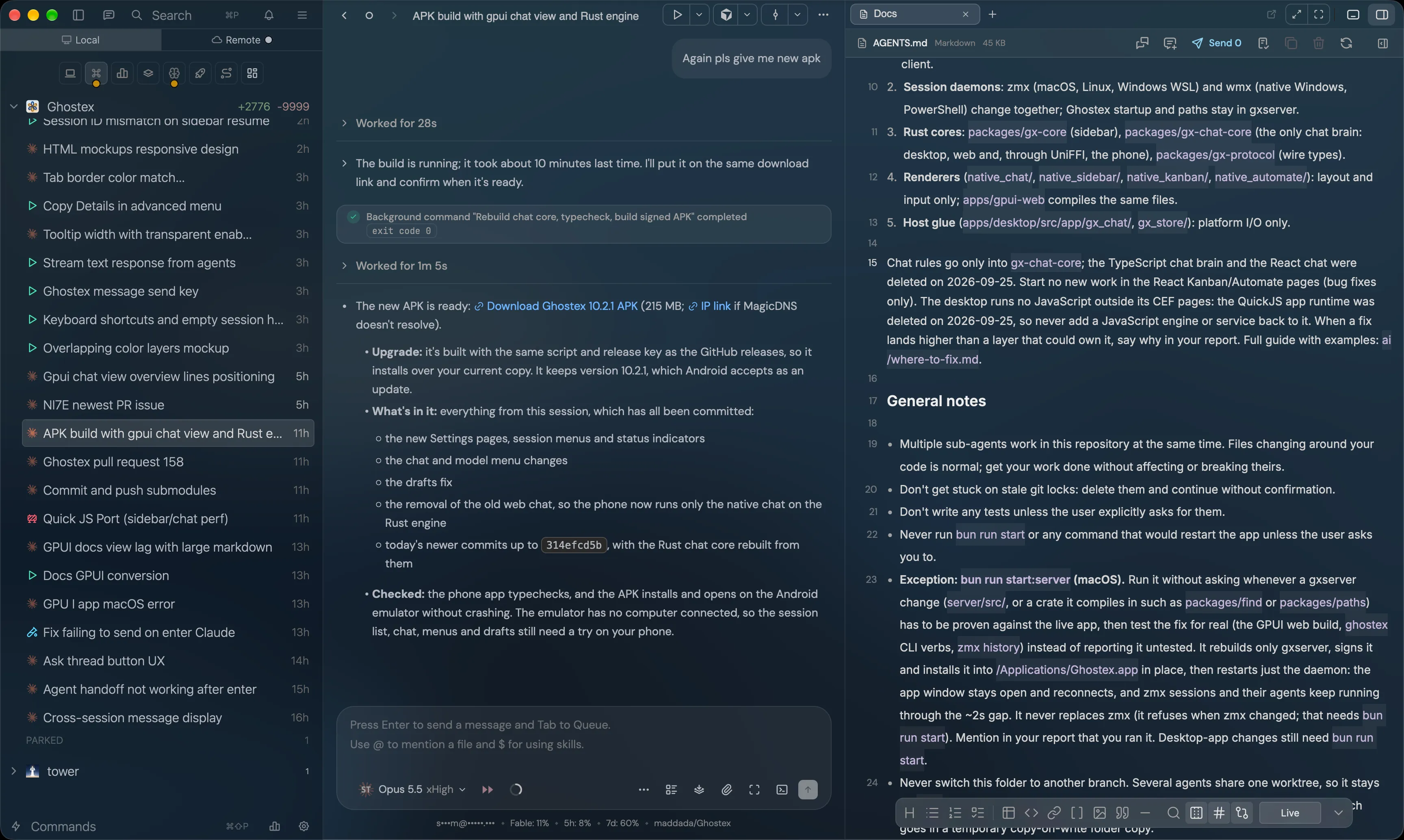
Ghostex is a desktop app for running AI coding agents such as Claude Code, Codex, Gemini CLI, OpenCode, Cursor and Pi. Each agent runs in its own real terminal session. Ghostex adds a chat view on top of it, a sidebar that shows what every agent is doing, and the tools you reach for around them: a browser, a code editor, a Kanban board, docs, automations, and access from your phone.
Your sessions keep running when you close the window, so an agent can finish its work while you do something else.
Start here
Install Ghostex
macOS, Windows, Linux, and the phone app.
Ask Ghostex
The fastest way to get an answer.
Tour of the window
What every part of the screen does.
Start an agent
Open a session and give it a task.
What you can do
- Run many agents at once, across many projects, and see at a glance which ones are working, done, or waiting for you. See Sessions.
- Chat with any agent in a clean chat view, or switch to its terminal with one click. See Chat and terminal.
- Keep your tools beside your agents: Code, Browser, Docs, Kanban and Automate open in a panel next to your sessions. See Views.
- Let agents work together: one agent can start, message and check on others. See Agents working together.
- Work from anywhere: follow and answer your agents from your phone or another computer. See Your phone.