
Ask Ghostex
Get an answer about any part of Ghostex, or have it change a setting for you.
Ask Ghostex is a help chat built into the app. It reads the guide that ships with your version of Ghostex, so its answers match what you have installed. It can also change settings for you, so you rarely need to hunt through menus.
Open it
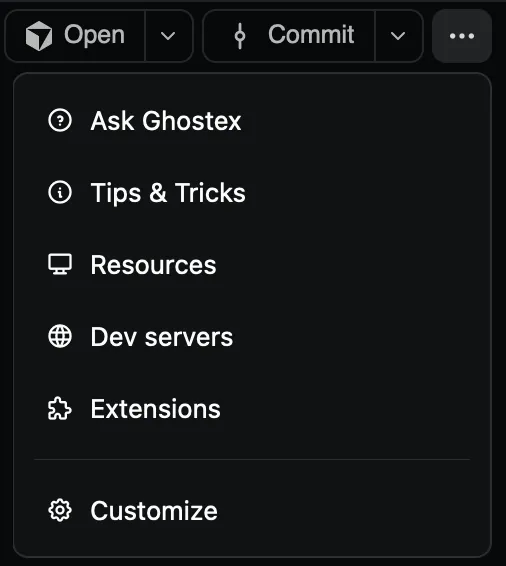
Click ⋯ at the top right of the window
It’s the last button in the header, next to Start, Open and Commit.
Choose Ask Ghostex
Pick one of the sample questions, or Ask anything about Ghostex.
Edit the question and press Enter
A new Ghostex Help chat opens with your question already typed in. Nothing is sent until you press Enter, so you can reword it first.
You can also give it a keyboard shortcut: open Settings > Hotkeys and set Ask Ghostex Help.
What to ask
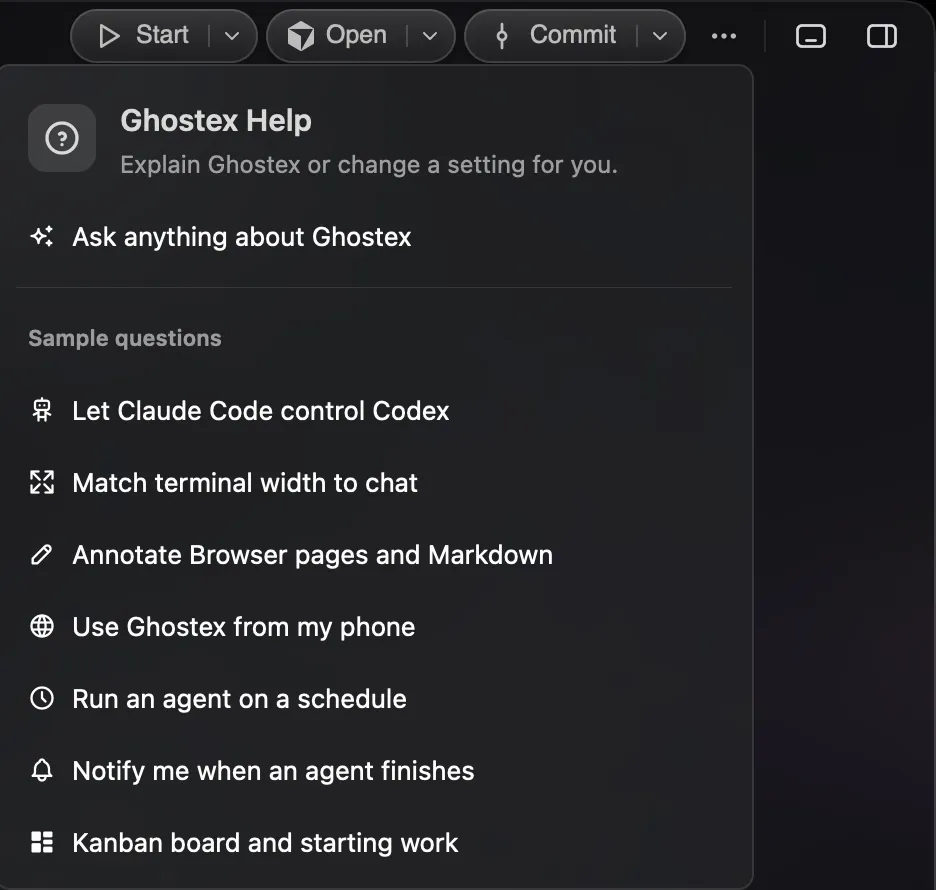
Anything you would ask a teammate who knows the app. For example:
- “How can I make Claude Code control Codex and other agents?”
- “Make the terminal width match the chat width.”
- “How do I annotate a Browser page or Markdown file?”
- “How do I use Ghostex from my phone or another computer?”
- “Set up an automation that runs an agent on a schedule.”
- “Play a sound and notify me when an agent finishes.”
- “What does the Kanban board do, and how do I start work on a card?”
When the answer is a setting, it offers to change it and tells you the old and new value. For things it shouldn’t change on its own, like accounts or remote pairing, it opens the right Settings page for you.
Good to know
- The help chat runs your Default Prompt Agent (Settings > Agents), so it uses the agent and account you already have.
- Every help chat lives in one Ghostex project in the sidebar, so earlier answers are easy to find.
- In any agent chat, you can type
$ghostex-helpfollowed by your question to get the same help without leaving that chat. - In a terminal,
ghostex guideprints the same guide the help chat reads.